

Paper Ink Blog
WhatsApp QR Code Stickers for Packaging: Turn Every Order Into an Easier Reorder

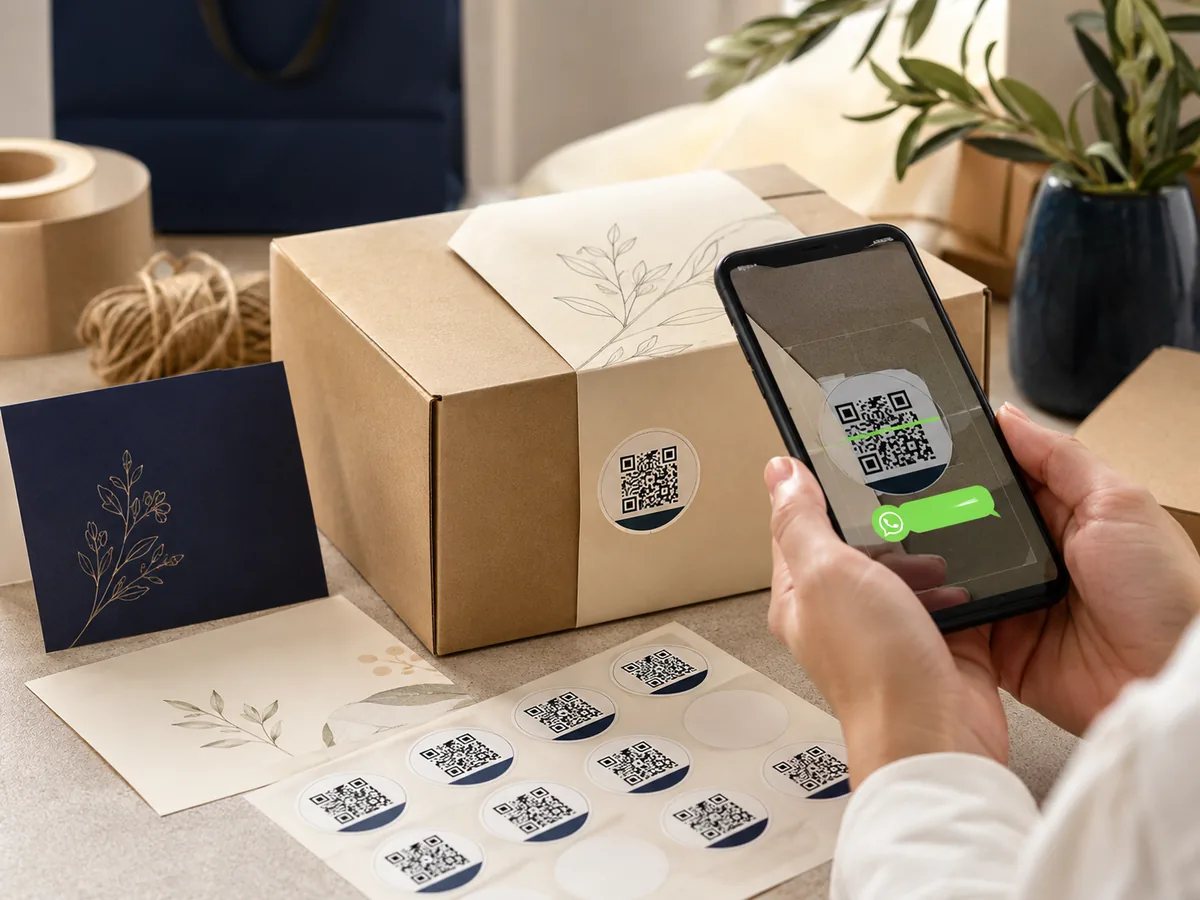
A customer who has already bought from you should not have to search for your social handle, retype your phone number or dig through an old confirmation just to buy again. A WhatsApp QR code sticker can turn the package in their hands into a one-scan route back to your business — if the code has a clear purpose and is printed correctly.
Meta has specifically described WhatsApp Business QR codes as something businesses can display on product packaging or receipts to start a chat, including an optional prefilled message. That makes packaging a natural offline-to-chat touchpoint rather than a gimmick.
What Is a WhatsApp QR Code Sticker?
A WhatsApp QR code sticker is a printed QR code that opens a WhatsApp conversation with your business when scanned. Depending on how you create it, the chat can also open with a short draft message already prepared. The customer still chooses whether to send it.
For packaging, think of the QR as a printed button. The best buttons do one thing clearly: reorder, ask for support, request a custom quote or make a booking. A code with no explanation simply asks the customer to guess.
Why Put WhatsApp on Packaging?
Packaging reaches a customer at a useful point in the journey: after purchase, when the product, brand and order context are physically present. That makes it suitable for post-purchase actions.
- Reorders: give a returning customer a shorter route back to the business.
- Product questions: create a direct support path for care, sizing or usage questions.
- Custom orders: let buyers start a new conversation with the right context.
- Bookings and enquiries: useful for service businesses, events, cafés and local operators that actively manage enquiries on WhatsApp.
- Offline-to-digital continuity: connect a physical label, card or box to the messaging channel your business already uses.
Start With the Job, Not the QR Code
Before generating anything, decide what one action matters most at that touchpoint. Trying to send one QR code to support, reorders, discounts, Instagram and a website at the same time usually creates a weaker call to action.
How to Prepare a WhatsApp QR Code for Print
- Confirm the WhatsApp Business number in international format.
- Generate the native business QR or a reliable WhatsApp/wa.me link. Check the current WhatsApp Business interface because menu names can change with app updates.
- Add a short prefilled message only if it makes the next step easier.
- Export a high-quality QR image. Vector output such as SVG is ideal when available; otherwise use a sufficiently high-resolution image without compression artifacts.
- Keep clean space around the code and do not crowd it with text, borders or decoration.
- Print a sample at final size and test the actual finished piece — not only the code on a monitor.
Three Ways to Create the QR
| Method | Best for | Advantage | Watch-out |
|---|---|---|---|
| WhatsApp Business QR | A simple direct chat route | Native and straightforward | Menu labels can change; test before printing |
| QR from a wa.me link | A direct link with a specific number/message | Flexible and easy to place in artwork | Check the international number and encoded text |
| Third-party dynamic QR | Campaigns that need editable destinations or analytics | More measurement and flexibility | Creates dependency on the provider and possibly a subscription |
Best WhatsApp QR Use by Business Type
| Business type | Best job | Placement | CTA | Prefilled message |
|---|---|---|---|---|
| Café / restaurant | Reorder or enquiry | Takeaway bag or insert | Order again on WhatsApp | Hi, I’d like to place another order. |
| Bakery / home food business | Repeat or occasion order | Box seal or product box | Scan for your next order | Hi, I’d like to reorder this item. |
| E-commerce brand | Support + reorder | Inside lid or thank-you card | Need help? Message us here | Hi, my order arrived and I have a question. |
| Beauty / perfume | Product question or repurchase | Box base or care card | Reorder or ask about this product | Hi, I’d like to ask about this product. |
| Fashion / abaya brand | Sizing or customisation | Care card or parcel insert | Message us for sizing/custom orders | Hi, I’d like help with size/customisation. |
| Flowers / gifts | Next custom order | Gift card or outer packaging | Plan your next gift with us | Hi, I’d like to prepare a custom gift. |
| Service / appointments | Booking | Business card, flyer or receipt | Scan to book on WhatsApp | Hi, I’d like to book an appointment. |
Where Should the Sticker Go?
Choosing a location depends on the moment of use. If the goal is reorder, do not hide the code somewhere the customer throws away before opening the product. If the goal is support, keep it easy to find after the product has been used.
- Inside the box lid: strong for reorders and support without cluttering the hero face of the packaging.
- On a thank-you card: highly flexible; change the campaign without reprinting your main packaging. If you don’t have ready-made cards, browse thank-you cards at Paper Ink as a flexible alternative.
- On a closure sticker: useful if the sticker is part of the brand system, but never let the opening tear through the QR.
- On the back or base of a product box: good for packaging the customer keeps after purchase.
- On a receipt or flyer: useful for service, hospitality and booking-led businesses.
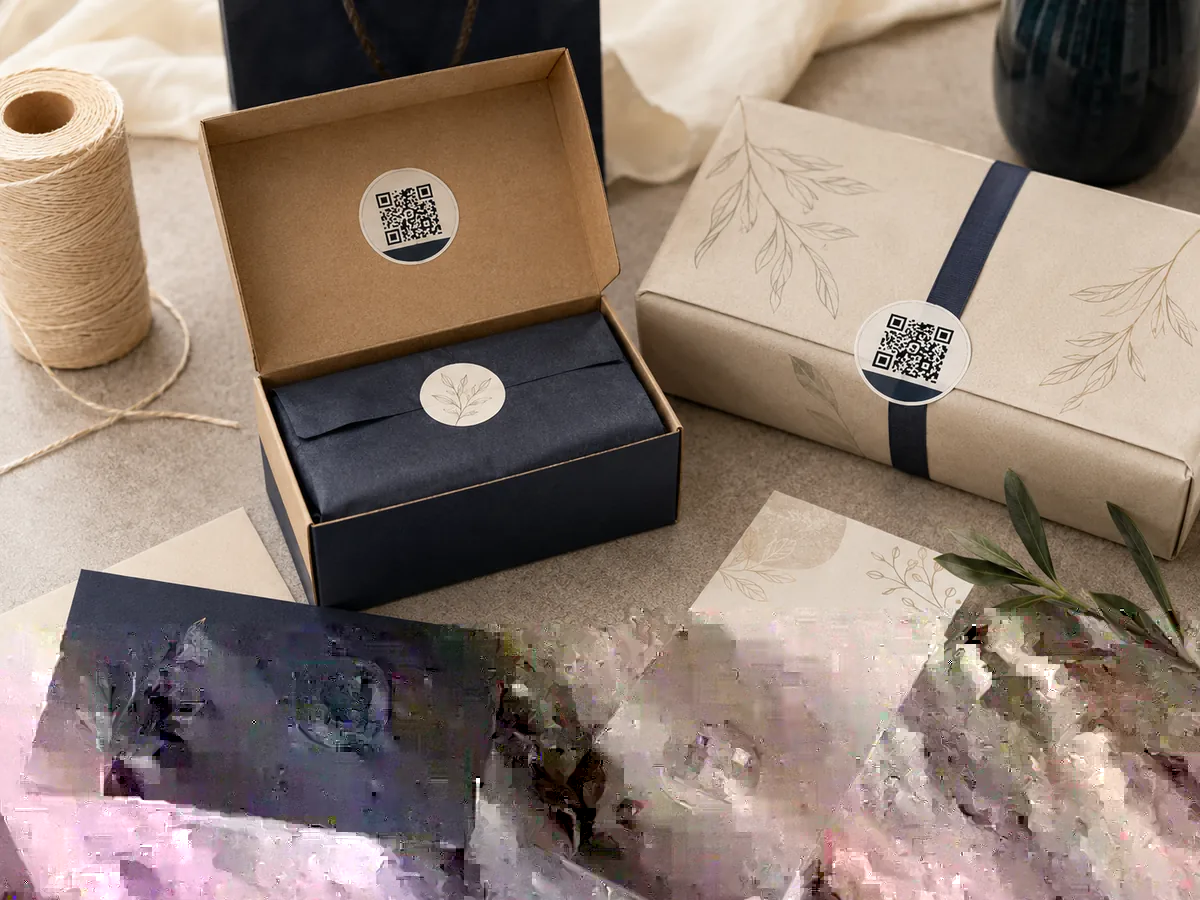
If you want to add the QR without redesigning your whole box, explore custom sticker printing at Paper Ink — a separate sticker or thank-you card is an easy way to test the idea before making it permanent. For surfaces that need extra durability, check vinyl sticker printing and choose the material based on the actual surface and environment.
Print Rules That Protect Scan Reliability
A digitally correct code can still fail after printing if it’s compressed, shrunk too far, catches glare, or has artwork crowding the space around it. Prepress matters as much as generating the link.
1) Protect the Quiet Zone
DENSO WAVE’s QR Code guidance specifies a four-module-wide clear margin around all four sides of a QR Code. Do not push a logo, border, pattern or text into that space.
2) Prioritise Contrast Over Decoration
GS1 guidance for 2D barcodes notes that weak contrast, visual noise and reflective/glossy surfaces can hurt readability. A dark code on a light, solid background is usually the safer starting point for printed packaging.
3) Do Not Chase a Universal Minimum Size
QR size depends on the module size, encoded data, printer, surface and scanning conditions. Instead of designing around the smallest theoretical code, give it as much space as the layout reasonably allows and test the final printed version. On very small stickers, remove surrounding copy before shrinking the QR into a risky size.
4) Avoid Folds, Seams and Aggressive Curves
Place the code on the flattest practical area. A fold, seam or sharp curve can distort the module grid, while die-cut edges can remove part of the required clear zone.
5) Test After Finishing
- Scan the final piece on more than one phone if possible.
- Test under normal indoor lighting, not only studio lighting.
- Test after lamination or final finishing because glare can change scan conditions.
- Apply the sticker to the real substrate before the final test.
- Confirm the correct number and prefilled message before approving the production run.
Write a Call to Action That Earns the Scan
The customer should understand the outcome before opening the camera. In many cases, the CTA around the QR matters more than adding another decorative element inside the code itself.
| Primary job | Printed CTA | Suggested prefilled message |
|---|---|---|
| Reorder | Scan to reorder on WhatsApp | Hi, I’d like to reorder this product. |
| Customer support | Questions about your order? Message us | Hi, I have a question about my order/product. |
| Custom order | Start a custom order | Hi, I’d like a custom order and want to see the options. |
| Booking / enquiry | Scan to book or enquire | Hi, I’d like to ask about available times/options. |
Use Prefilled Messages for Context, Not Friction
A prefilled message should save effort and tell your team why the customer is contacting you. Keep it short. You can always ask for order number, size or other details after the conversation starts.
- Reorder: “Hi, I’d like to reorder this product.”
- Support: “Hi, I have a question about the product I received.”
- Custom sizing: “Hi, I’d like to see the sizing/customisation options.”
- Gift order: “Hi, I’d like to prepare a custom gift.”
Can You Measure WhatsApp QR Performance?
Measurement depends on how the QR is built. A simple approach is to use different prefilled phrases for different placements — for example, “reorder from box” versus “question from thank-you card.” Separate links or a reputable dynamic QR platform can provide more measurement, but avoid adding a tracking layer you do not need.
Privacy and Marketing: A Scan Is Not Unlimited Consent
A customer scanning the code to ask about an order is not the same as granting unlimited permission for future promotions. Follow the WhatsApp Business Messaging Policy and, for Saudi customers, review the Saudi Personal Data Protection framework before using contact data for direct marketing.
Common Mistakes to Avoid
- Sending the QR to a generic homepage when the printed CTA promises a WhatsApp action.
- Using the wrong number or an incorrectly formatted international number.
- Shrinking the code to protect the visual layout.
- Using low contrast or printing directly over a busy image.
- Ignoring glare after lamination or a glossy finish.
- Placing the QR across a fold, tear strip or die-cut edge.
- Changing the WhatsApp number after printing a static code without a migration plan.
- Treating a support conversation as automatic consent for ongoing promotional messages.
Sticker vs Thank-You Card vs Direct Box Print
| Format | Best when | Flexibility | Note |
|---|---|---|---|
| QR sticker | You want a visible add-on without changing the box artwork | Medium-high | Choose adhesive/material for the actual surface |
| Thank-you card | You want to change the CTA or campaign often | High | Easy for seasonal or test campaigns |
| Direct box print | The workflow is proven and packaging artwork is stable | Low | Destination/design changes can require new packaging |
Prepress Checklist for a WhatsApp QR Sticker
- Correct international WhatsApp number.
- Link opens the intended chat.
- Prefilled message matches the printed CTA.
- High-quality QR artwork.
- Clear quiet zone on all four sides.
- Strong contrast.
- Final printed size has been tested.
- Code is clear of folds, cuts and seams.
- Final finish and substrate have been tested.
- CTA explains why to scan.
Frequently Asked Questions
Does the customer need to save my number first?
No. A WhatsApp QR or click-to-chat path is designed to open the chat without requiring the customer to manually save the number first.
Can the QR open with a prefilled message?
Yes, depending on the WhatsApp Business or link method you use. Keep the message short and tied to the printed CTA.
What size should a WhatsApp QR code be on a sticker?
There is no universal size that works for every code and printer. Size depends on the encoded data, module size, surface and scanning conditions. Keep adequate clear space, avoid over-shrinking, and test a final printed sample.
Can I print the QR on a transparent sticker?
Yes, but only if the finished application provides reliable contrast. If the background behind the sticker varies, a solid light panel behind the QR is safer.
Can I change the WhatsApp number after printing?
A static QR that directly encodes the destination usually needs to be reprinted if the destination changes. A third-party dynamic QR may allow edits, but adds an external dependency.
Should I print the phone number as well?
If space allows, yes. The QR is the fastest path, while a visible phone number provides a fallback if scanning fails.
Can I track how many people scan it?
It depends on the QR method. You can use separate links, dynamic QR analytics, or distinct prefilled messages to identify where conversations came from.
Does a scan mean I can send marketing messages later?
No. Treat the scan as a path to the customer’s chosen conversation, not blanket consent for ongoing marketing. Follow WhatsApp policy and applicable privacy/direct-marketing law.
The Bottom Line: Give the QR One Useful Job
A WhatsApp QR code sticker works best when three things line up: a clear reason to scan, a correct chat destination and a code that survives the realities of print. If the goal is reorder, design everything around reorder. If the goal is support, make support obvious. Simplicity beats a clever-looking code that customers cannot scan — or do not understand.
For a separate QR sticker that can be added to existing boxes, bags or cards, explore Paper Ink sticker printing. If you need help choosing size, quantity or material for the final surface, use the Paper Ink quote request before production.

3 thoughts on “WhatsApp QR Code Stickers for Packaging: Turn Every Order Into an Easier Reorder”