
Paper Ink Blog
Can You Print AI-Generated Artwork? A Prepress Checklist Before You Order

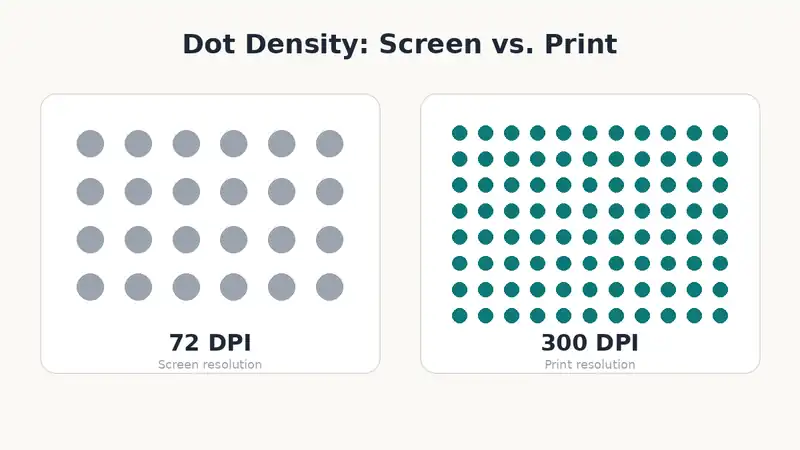
Short answer: Yes, AI-generated artwork can be printed — but most AI tools export images at screen resolution (72 DPI) and in RGB, both wrong for commercial print. Fix the resolution, convert the color mode, and confirm the tool’s commercial-use terms before you send a file to any printer.
Why AI Art Usually Fails Prepress on the First Try
Most guidance about AI-generated art online focuses on two separate topics: whether you’re legally allowed to use it commercially, or how to make it look better on screen. Almost none of it walks a small business owner through what actually happens when that same file reaches a print queue. The image looks perfect on a laptop screen, then comes back from the printer pixelated, color-shifted, or flat-out rejected — not because the art is bad, but because it was never prepared for a physical print run in the first place.
Resolution: The Most Common Failure Point
AI image generators typically output fixed pixel dimensions — often around 1024×1024 pixels — regardless of how large you intend to print the final piece. Commercial printing generally needs roughly 300 DPI (dots per inch) at the actual final size, not the screen size. A small printed sticker can often work fine at native AI resolution; anything larger needs real preparation first.
| Intended print size | Minimum resolution needed (approx.) | Notes |
|---|---|---|
| Small sticker (5×5 cm) | ~590×590 px at 300 DPI | Native AI export is often already enough |
| A5 flyer or medium sticker sheet | ~1750×2480 px at 300 DPI | Usually needs upscaling from a single AI export |
| A4 poster or larger | ~2480×3508 px at 300 DPI, or higher | Native AI resolution is rarely enough; consider a vector recreation of key elements instead |
If you’re not sure which row applies, ask your printer for the exact pixel dimensions of your specific product before generating the artwork — it’s faster than re-exporting after a rejected proof.
RGB vs. CMYK: Why Your Colors Might Print Differently
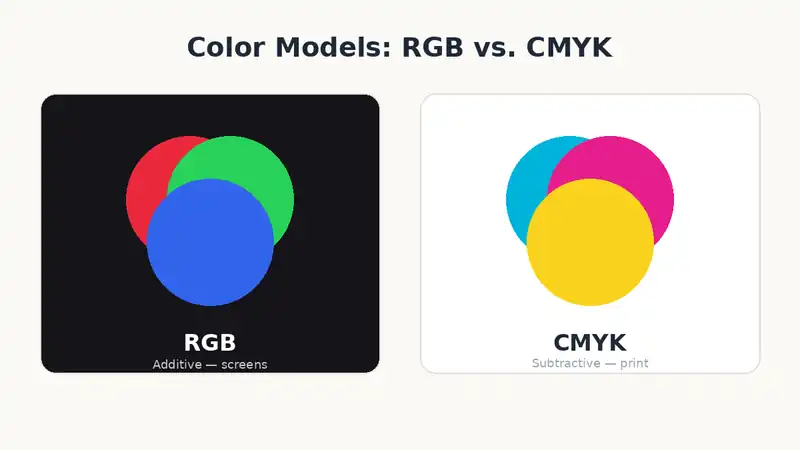
AI tools generate images in RGB, the color model built for screens. Commercial printing presses use CMYK ink, a different and smaller color range. Blues, greens, and very saturated colors are the most likely to shift once converted — a bright screen-blue can print noticeably duller or greyer than expected. Converting the file to CMYK before submitting it, or asking your printer to do the conversion and show you a proof first, catches this before a full print run rather than after.
Is It Legal to Print AI-Generated Art Commercially?
This depends entirely on which tool generated the image and which plan you used, not on AI-generated art as a category. Some platforms explicitly allow commercial use on paid tiers; others restrict it, and copyright protection for AI-generated content itself remains legally unsettled in several jurisdictions. There is no single blanket answer — the only reliable step is checking the specific terms of service for the tool and plan you used for that particular image before printing it for a business, not assuming a rule that applies to one platform applies to all of them.
A Simple Habit That Prevents Most of This: Ask for Higher Resolution Upfront
Many AI tools let you request a larger output size directly in the prompt or generation settings — phrases like “high resolution” or a specific pixel dimension often produce a noticeably larger file than the tool’s default. This single habit avoids a large share of the resolution problems above, because upscaling a file after the fact never adds real detail — it only smooths what’s already there. If your tool has a resolution or quality setting, set it to the maximum before you generate the image you intend to print, not after you’ve already picked your favorite result.
Common Mistakes When Prepping AI Art for Print
Sending the on-screen export straight to print: most AI tools default to screen resolution, not the higher resolution commercial printing needs at final size.
Ignoring the color mode entirely: RGB colors can shift once converted to CMYK ink, especially blues and greens — a proof catches this before a bulk run.
Assuming “AI-generated” automatically means “royalty-free”: commercial-use terms differ by tool and even by subscription tier on the same platform.
Upscaling aggressively without checking edges: heavy AI upscaling beyond 2-3x the original size often introduces soft or artifacted edges around text and fine lines.
Skipping a physical proof on a bulk order: issues that are invisible on a laptop screen — pixelation, color shift — often only show up once printed at actual size.
Prepress Checklist Before You Submit AI Artwork
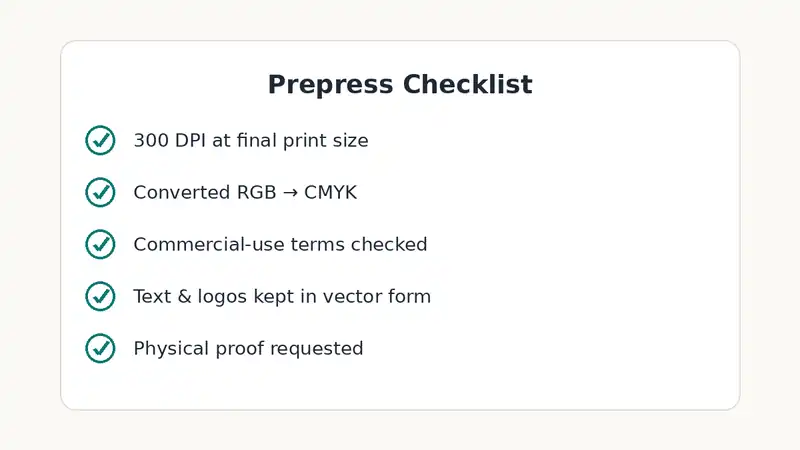
- Confirmed or upscaled the file to roughly 300 DPI at the final print size
- Converted the file from RGB to CMYK, or asked the printer to do it and show a proof
- Checked the specific AI tool and plan’s commercial-use terms for this image
- Kept any text or logo elements separate in vector form, not baked into the AI-generated image
- Requested a physical proof before committing to a bulk print run
FAQ
Do I need a graphic designer if my art comes from AI?
Not always — but for precise text, logos, or exact brand colors, combining the AI image with real design software avoids errors an AI tool alone won’t catch.
Will my printer refuse AI-generated files?
Some do, depending on their internal policy — always confirm before submitting a large or time-sensitive order.
What’s the minimum resolution for a small sticker versus a poster?
A small sticker can often work at native AI export resolution; a poster or large format print usually needs upscaling or a partial redesign in vector form.
Can I fix a low-resolution AI image myself?
Upscaling tools help moderately, but enlarging much beyond 2-3x the original size tends to show softness once printed up close.
Bringing It Together
AI-generated artwork can absolutely be printed — the failures happen at the prepress stage, not the printing itself. Paper-Ink can check your file’s resolution and color mode before you commit to a bulk run. If you’re prepping artwork for stickers specifically, browse our sticker printing options — sizes under roughly 5×5 cm are usually fine straight from an AI export, the same idea covered in our seasonal packaging guide. Run your artwork through this checklist first, then request a quote or reach us directly on WhatsApp if you’d like us to review the file before printing.
