
Personalized Photo Wall Art: How to Turn Your Photo Into Illuminated Art
Short answer: pick a sharp photo with one clear subject, crop it to a 2:3 portrait shape, and send the largest original file you have. Printed as a LumiPoster, your personalized photo looks like a normal print in daylight and glows from inside the whole image when you switch it on. In Saudi Arabia it costs 270 SAR in one size, 32 × 48 cm, with free delivery (verified on 2026-09-28).
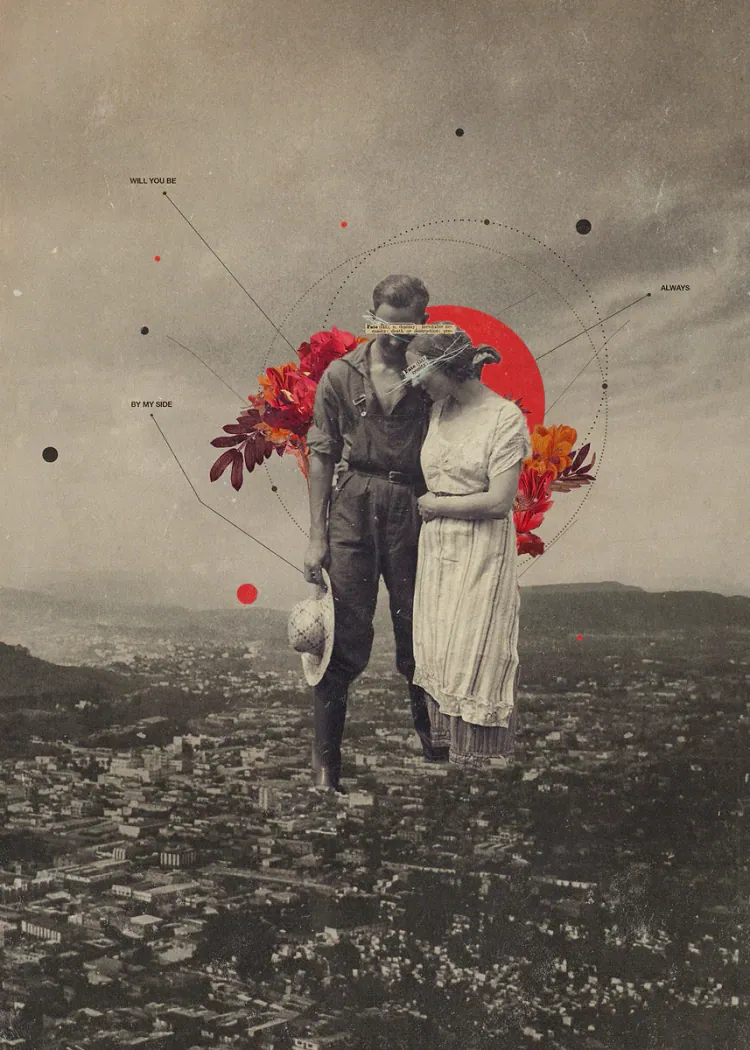
Most of our best pictures live in a phone gallery that nobody scrolls. A graduation shot, a first family trip to AlUla, a grandparent laughing at Eid lunch. Turning one of them into wall art is easy. Choosing the right picture, and preparing it so the print doesn’t disappoint, is where people go wrong. This guide covers both.
What “personalized photo wall art” actually means
Personalized photo wall art, or custom photo wall art, is any wall piece built from your own image instead of a stock design. The format changes the result more than people expect:
- Photo print or photo poster: paper, cheap, flat. Great in a frame, easy to fade in strong sun.
- Canvas or metal: heavier, more “gallery”, still only visible when the room is lit.
- Frame with lights: a normal print with LEDs around the edge or behind it. The light sits around the picture, not in it.
- Illuminated print (LumiPoster): the picture itself is the light source. Switched off it reads as printed art; switched on, the full surface glows evenly, with no visible frame on the front.
If you’re still deciding between paper, canvas and other formats, our comparison of custom posters, canvas and photo prints goes through each one. This page assumes you want your own photo to become a lit wall piece.
Which personalized pictures work best when lit
Light from behind changes how a photo reads. Bright areas glow; dark areas stay dark. That rewards some pictures and punishes others.
| Photo type | Lit result | Verdict |
|---|---|---|
| Portrait with a clear face, good daylight | Skin tones glow softly, face stays the focus | Excellent |
| Sunset, city lights, stadium at night | Sky and lights come alive, strong mood | Excellent |
| Landscape with open sky (desert, sea, mountains) | Sky becomes the light source of the whole piece | Very good |
| Group photo, 6+ people, small faces | Faces get tiny at 32 × 48 cm | Crop tighter or pick another |
| Dark indoor photo taken at night with no flash | Noise and blur become visible | Avoid |
| Screenshot or photo received on WhatsApp | Compressed, low detail | Ask for the original file |
A useful test: zoom the photo to fill your phone screen. If faces or key details look soft at that size, they will look soft on the wall.
Resolution, in plain numbers
Paper Ink’s own guidance asks for at least 1,000 pixels on the short side, and its design team checks every photo before printing. That is the minimum, not the target. Print specialists generally recommend around 200–300 pixels per inch at the final size (Lumaprints). Canon’s own table puts an A3 print at 300 dpi at 3,508 × 4,961 pixels (Canon); a 32 × 48 cm LumiPoster is slightly larger than A3.
| Short side of your photo | Approx. pixels per inch at 32 × 48 cm | What to expect |
|---|---|---|
| 1,000 px | ~80 | Paper Ink’s minimum; fine for simple, bold images viewed from a distance |
| 2,000 px | ~160 | Good for most phone photos |
| 2,500 px | ~200 | Sharp at normal viewing distance |
| 3,780 px | ~300 | Maximum useful detail |
Most phones from the last few years shoot well above 3,000 pixels on the short side, so the original file is usually enough. The problem is almost always a forwarded or screenshotted copy.
Cropping: the 2:3 portrait rule
LumiPoster comes in one size, 32 cm wide and 48 cm tall. That is a 2:3 portrait shape, the same ratio most phone photos have when turned upright. If your picture is landscape, part of it will be cropped. Before sending:
- Open the photo editor on your phone and choose the 2:3 crop.
- Rotate the frame to portrait.
- Keep faces in the upper third and leave space above heads.
- Keep any text or dates away from the edges.
The order page includes a preview where you can move and zoom your photo; it stays on your device until you choose to send it. If something needs adjusting, the team contacts you before printing.
Personalized photo ideas that suit Saudi homes
- Family portrait in the majlis: a lit portrait becomes the evening focal point when guests arrive. Choose a daylight photo with everyone facing the camera.
- Graduation photo in a study or bedroom: the cap-and-gown moment, cropped tight. See our graduation gift guide for more.
- Travel photo: AlUla rocks, Jeddah Corniche at sunset, snow in Tabuk. Our guide to travel photo wall art that doesn’t look generic helps you pick.
- Wedding or engagement photo: a quiet, lit memory above the bed rather than a large framed print.
- Your own design: illustrations, calligraphy you commissioned, or fan art you made yourself count as custom wall art too, as long as you have the right to print them.
Common mistakes to avoid
- Sending a screenshot. Always send the original from your gallery or cloud.
- Choosing the “best memory” instead of the best photo. A blurry moment stays blurry at 48 cm tall.
- Ignoring the crop. Landscape group shots lose the people on the edges.
- Over-editing. Heavy filters and extra sharpening look harsh when lit from behind.
- Printing images you don’t own. Photos from the internet or other people’s artwork need permission.
How LumiPoster fits a personalized photo
A normal photo print disappears when the lights go down. A LumiPoster keeps your photo visible at night because the whole picture lights up evenly from inside; it is not an LED border, a neon outline or a screen. In daylight, switched off, it sits on the wall like a clean full-bleed print with no visible frame. That OFF/ON behaviour is why a personal picture works so well in it: it’s décor by day and a soft, personal light in the evening.
If you’re unsure whether to use your own photo or a ready-made design, our ready-made vs custom photo guide compares the two. For how illuminated art differs from light boxes and LED frames, see the illuminated wall art guide.
Order details (verified on 2026-09-28): 270 SAR · 32 × 48 cm portrait · JPG, PNG or WebP up to 20 MB · about 2 business days to prepare and 3 to deliver · free delivery to all regions of Saudi Arabia · 1-year warranty and safe-arrival guarantee.
Recommended LumiPoster designs
- Your own photo — Custom Photo LumiPoster. The direct route for a personalized photo; preview, crop and order from the LumiPoster page. Start with your favorite picture.
- Memories and a Heart of Flowers. A ready-made option if you want the sentimental feel without choosing a photo. See it lit.
- Moon Over the Mountains. For readers whose “photo” idea is really a landscape mood. Compare it with your own shot.
- Photography collection. Browse photographic designs before you decide. Browse the collection.
FAQ
Can I print a group photo as personalized wall art?
Yes. Crop so faces stay reasonably large; with more than six people, consider a tighter crop or a different photo.
What resolution do I need for a 32 × 48 cm photo poster?
At least 1,000 px on the short side (Paper Ink’s minimum). Around 2,500 px gives sharp results at normal viewing distance.
Will my photo be cropped?
Only if it isn’t already 2:3 portrait. You can adjust the crop in the preview, and the team contacts you before printing if needed.
Do you print custom photo prints on paper or canvas too?
This page covers LumiPoster only. For other formats, see the custom poster and canvas guide.
Is my photo uploaded to a server when I preview it?
The preview keeps the image on your device. You send the photo only when you place the order.
How is this different from an LED photo frame?
An LED frame lights the edges or the wall behind a print. LumiPoster lights the picture itself. Our LED photo frame guide compares them.
Can I customize prints with text or dates?
Add text to your image before sending, and keep it away from the edges so the crop doesn’t cut it.
Ready when your photo is
Pick the picture, crop it to 2:3, and send the original. Turn your favorite photo into illuminated wall art — or read personalized LumiPoster gift ideas if it’s for someone else.
Sources: Lumaprints — How to turn photos into wall art · Canon — print size and pixel table · Paper Ink LumiPoster page and product data (read 2026-09-28)
Related reading: Wall Art Buying Guide: Canvas, Metal, Wood, Wall Hangings and Illuminated Art · Anniversary and Wedding Gift Ideas That Keep a Memory Visible · Birthday Gifts in Saudi Arabia: Ideas by Age, Budget and Personality
